Back to Basics: Instagram Business Profile
In this blog, I want to focus on some basics. Social media platforms are always changing and new features are always being added, but we know there are a few older features that are a must.
I recently started working with a new client and during the on-boarding process she apologized for having multiple questions, some of which she called “dumb.” I quickly reminded her there are no dumb questions, and it was key for her to gain an understanding of social media not only to help me in the process, but to make sure she was also on board with the goals and steps I would set up. This inspired me to write this blog and make a series of Back to Basics blogs to make sure you are getting the most of social media for your business. The first on our list: setting up your business profile!
For today let’s focus on Instagram. Before you start curating the perfect on-theme feed make sure you have set up your business profile correctly and are ready to make the most out of it. Now, notice I said business profile and not simply account. Most of us already know about a personal account since that was the default we all started with ages ago when first creating an account. A business profile allows you to select an industry to add to your profile and gives you access to insights and metrics related to your account.
I’ll give you an example of why this is important. My client who I mentioned above, had a personal account and it was private. Now, this can be okay for anyone who chooses to be more selective of who has access to their photos on Instagram. It’s perfectly okay to do this for a personal account, but it seriously limits a business account. People will not be able to see your pictures unless they request to follow you and then wait for you to accept their request. Many people will not even follow through with a request and will move on to another account.
When I switched my client’s account from private to a business account, she gained over 100 followers in a day. Yes, you read that correctly. Honestly, even I was a little surprised. Adding her industry to her profile and making sure her bio reflected her business made her accessible to people already searching for that industry and related content.
So let’s get to it! Here is how you can make this change:
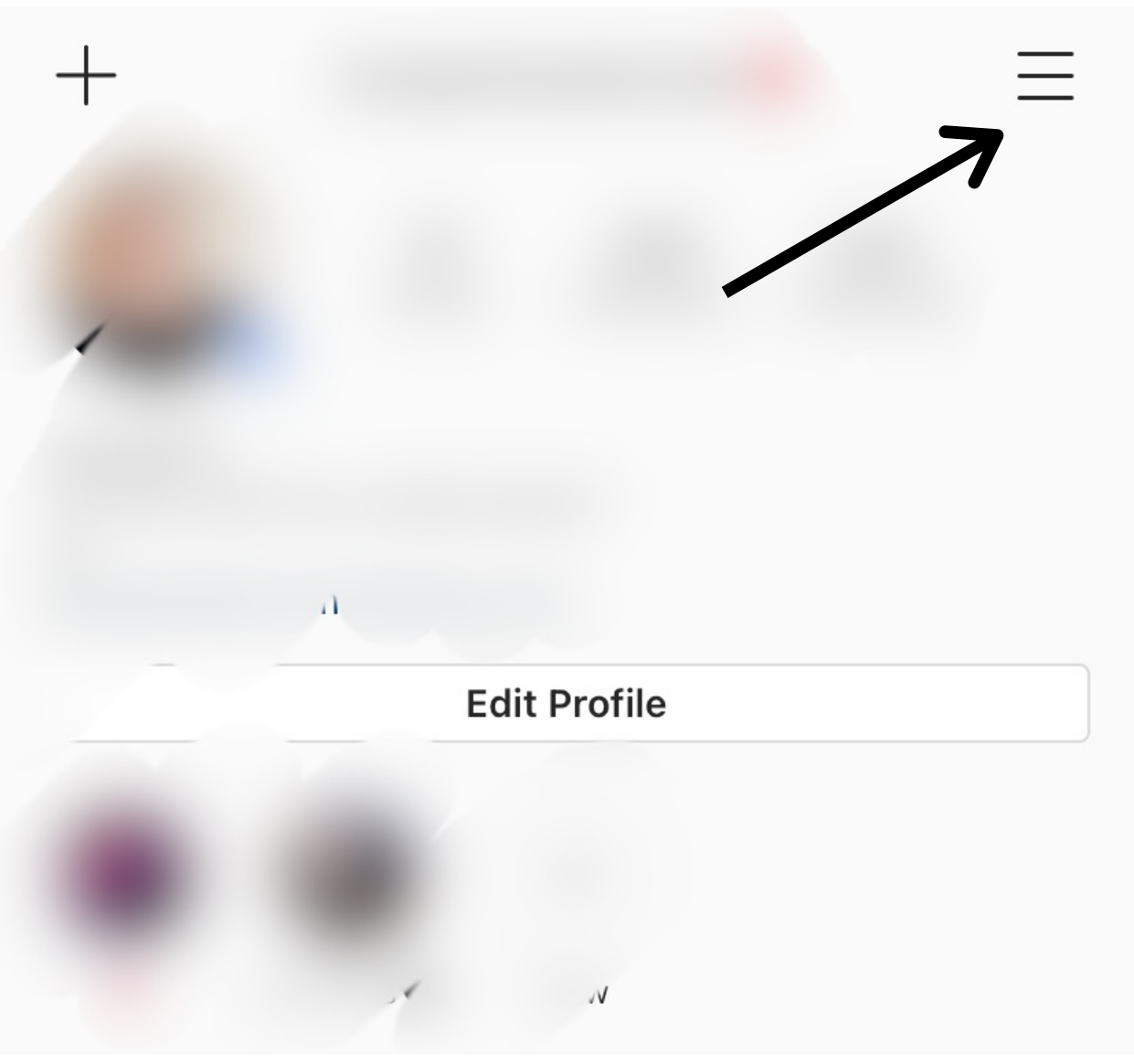
Step 1: Go to your profile and click the three lines at the right-top corner. Go into Settings.
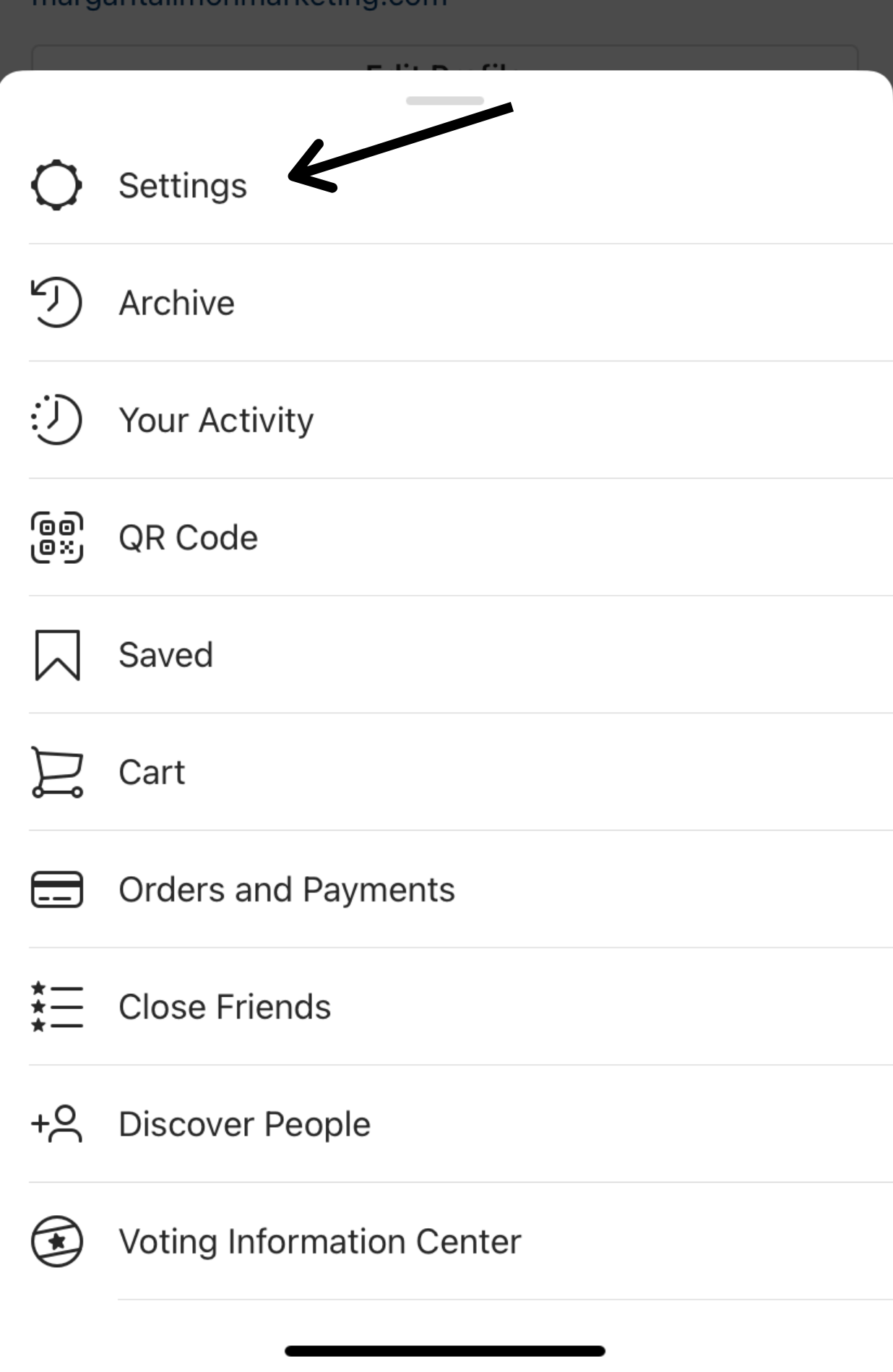
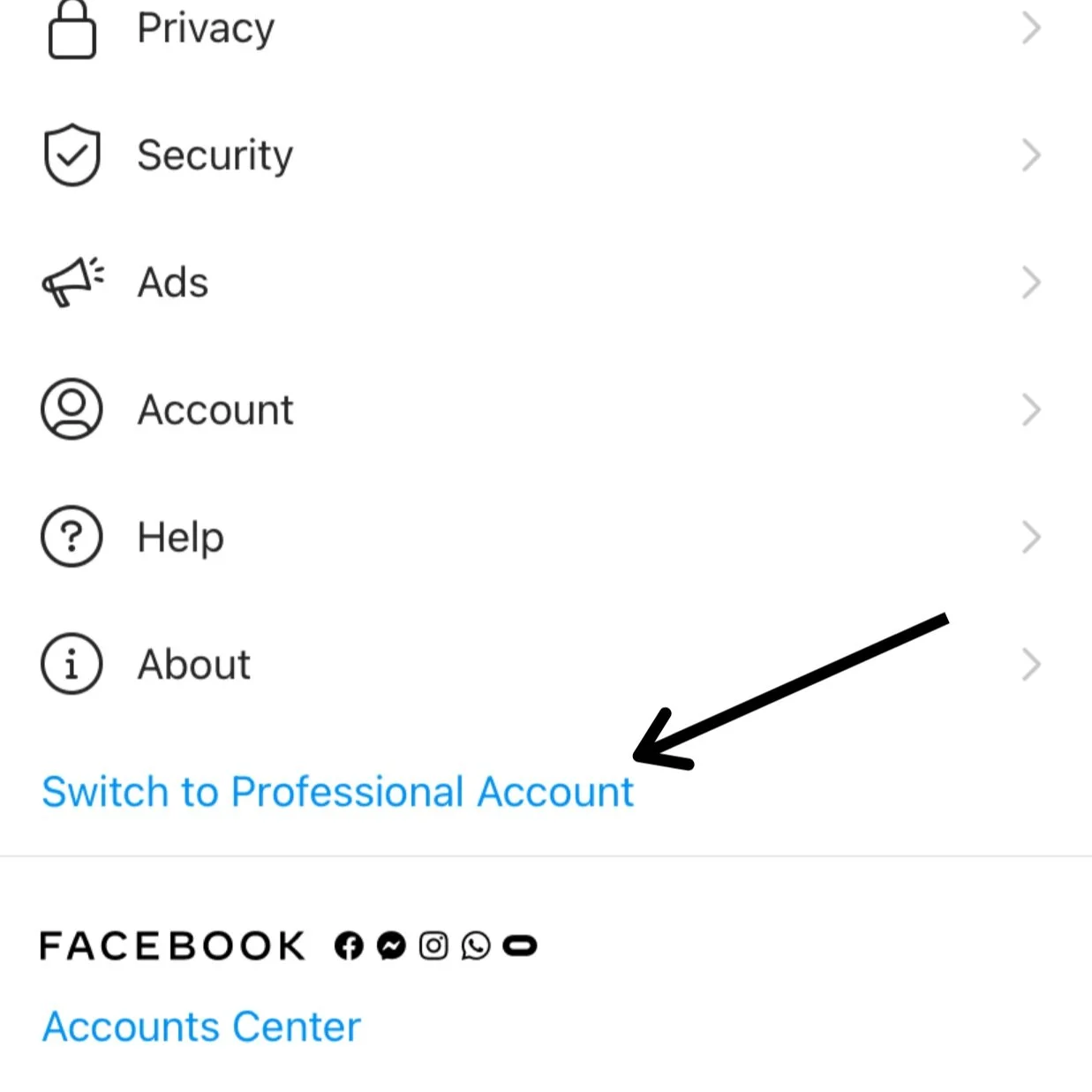
Step 2: Click on Switch to Professional Account and select Continue.
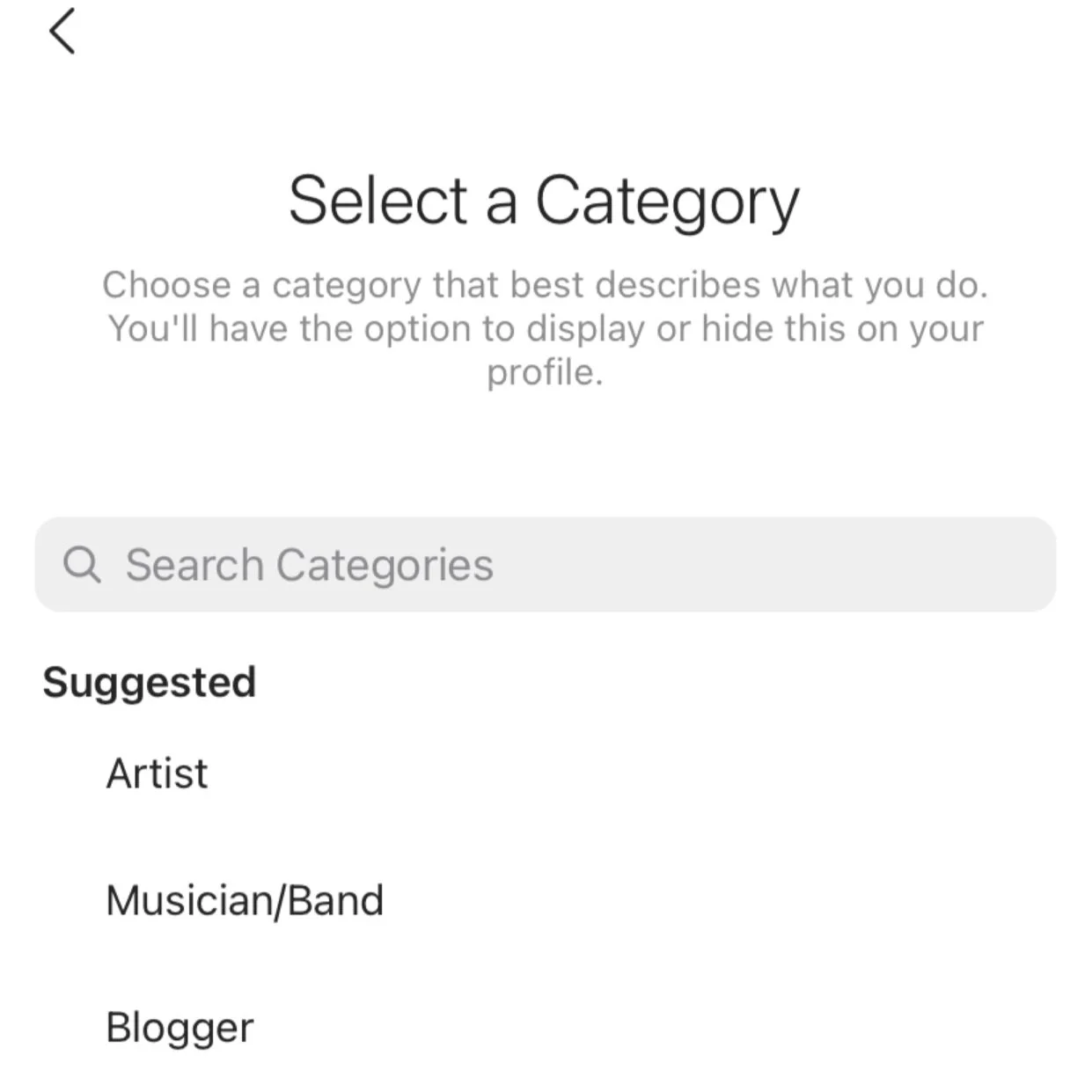
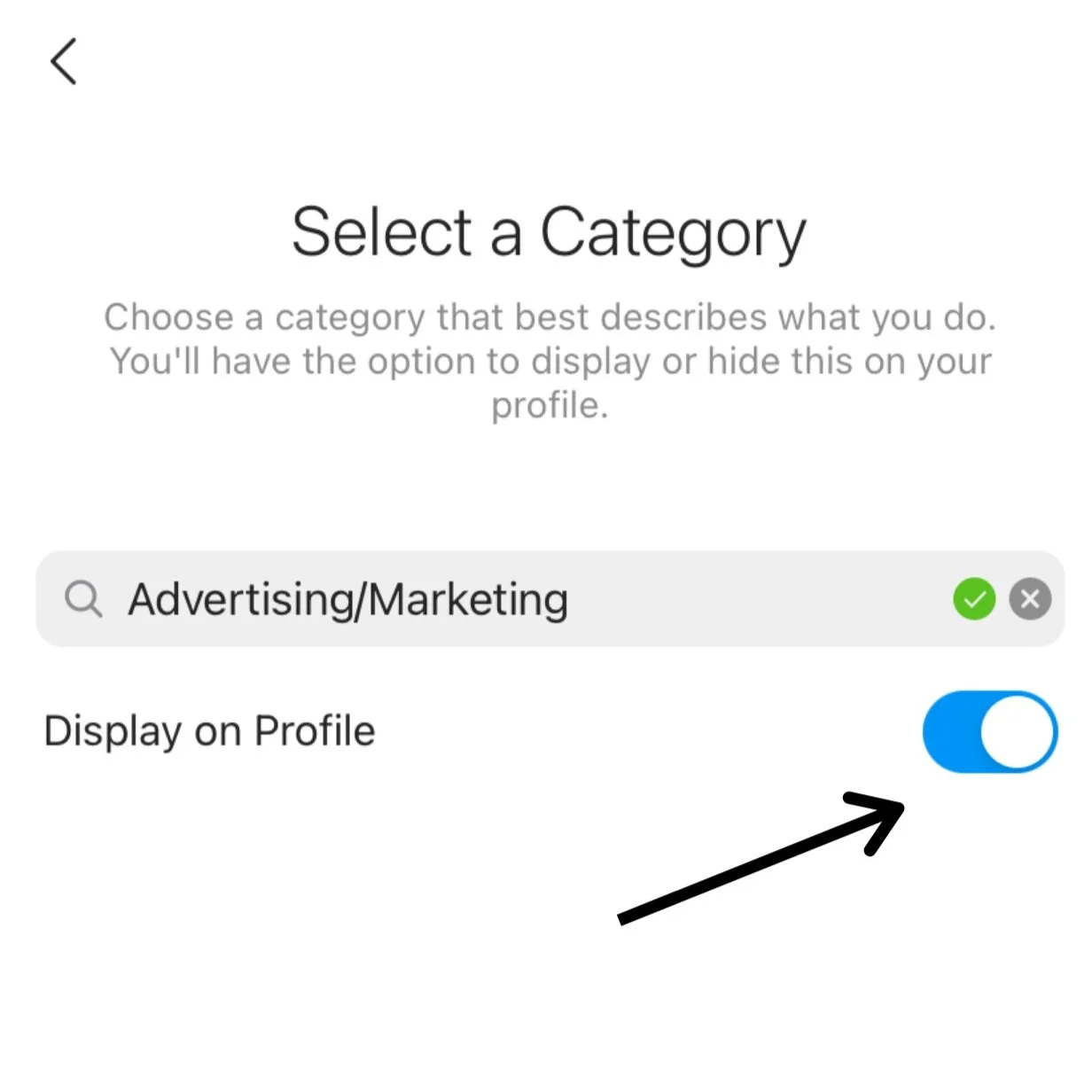
Step 3: Select a Category. Here you can choose your industry or be specific about the type of services you can provide. If you don’t see your industry right away you can also search for it. Now, if you don’t have a business but still want access to Insights pick something fun! The Just For Fun or Personal Blog are the typical go-to’s and can describe your chosen theme.
Important: Once you have selected your category, I highly suggest you switch on Display on Profile. This way people can quickly see what industry you work in or get an idea for your business without having to scroll down and look at your content. We all know our attention spans are especially short when scrolling through our phones so the quicker you can get someone’s attention, the better!
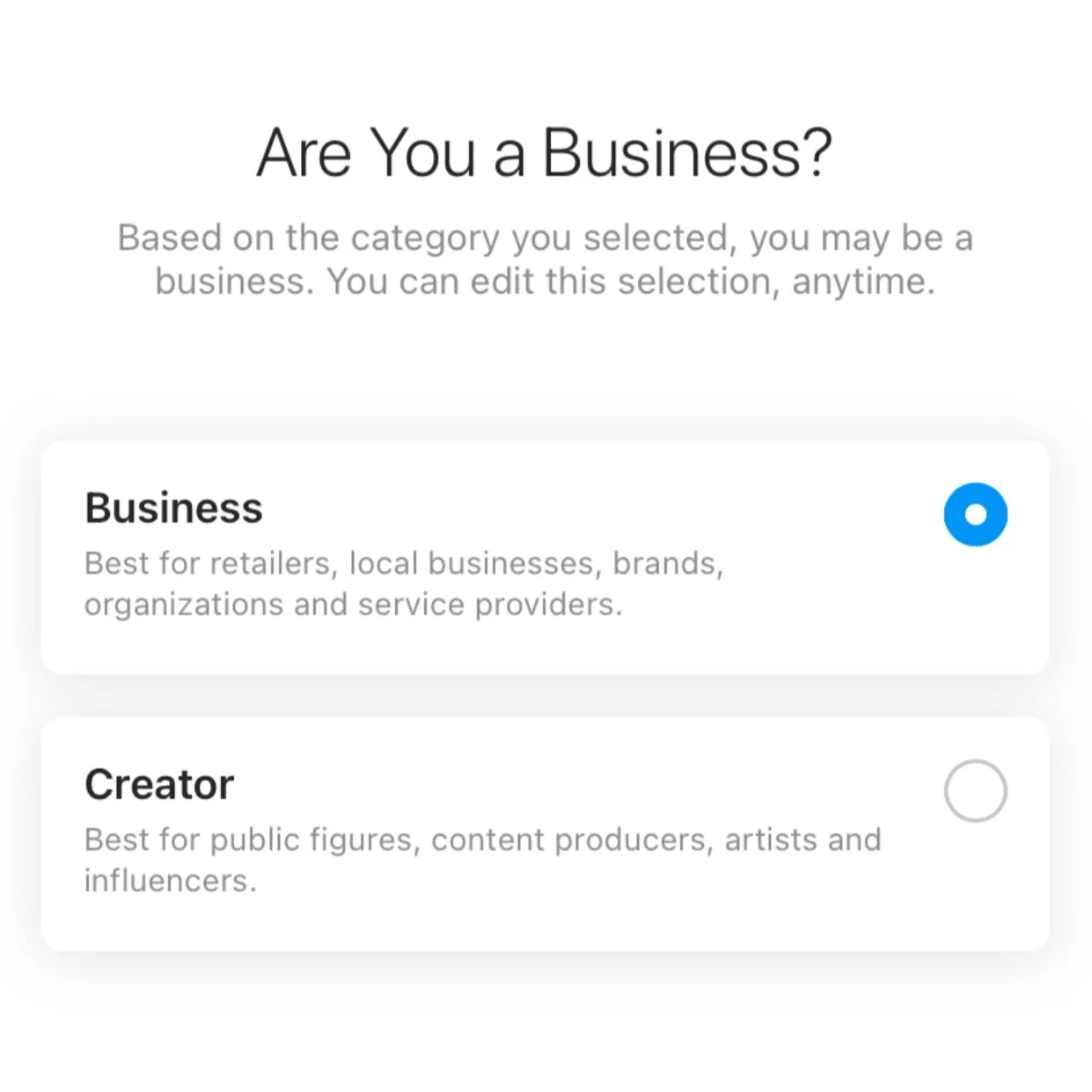
Step 4: Select the Done button at the bottom of your screen. You will then be guided to a screen asking if you are a Business or Creator. When you select Business you will then have the option to add your contact information which can be displayed at the top of your profile. You can also then connect to your Facebook page.
And that’s it! Taking a few minutes to set this up correctly can help grow your account and get your content seen by the right people. Apart from growing your business, having a business account can help you connect with others in the industry and brings us back to what social media is based on: finding other people with similar interests and making a connection.
Keep an eye out for more Back to Basics blogs and let me know what other topics you are interested in.